
Lock Quote
Overview
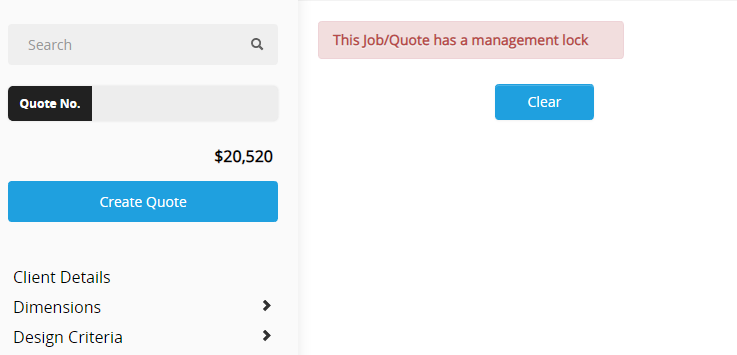
The Lock Quote function is user-privilege dependent. If you have requested additional services (e.g., Design Assistance, Solar Panel optimisation), and adjustments have been made to the building design and/or site-specific engineering has been requested at quote stage, the quote will be returned to you with a management lock applied.
It is important that the design of the building has been confirmed by the client before these requests are sent to National Head Office. Once the quote is returned under management lock, you will no longer have access to make adjustments to the building design.
Why this is important
Prevents unauthorised design changes after Head Office has made adjustments.
Ensures customer-approved designs are final before engineering or optimisation is requested.
Avoids compliance and pricing errors caused by rework after a lock is applied.
Unlocking a quote
To unlock a quote (except in solar cases), you must export the quote to Design Help and request it to be unlocked.
If the design includes Solar Panel engineering, quotes cannot be unlocked. If a change is required, a new quote must be created and accepted.
Head Office cannot remove a lock once applied to a solar panel optimised design.
Broadcast sent to the networks 8 April 2021
Please be advised that before solar engineering can be done the site must be pinned and the design finalised before requesting engineering.
Quotes can NOT be unlocked or changed once solar has been added.
All changes after the quote has been done will require a brand new quote created.
Related Article
Request Engineering (Site Check)
Review & updates
Version history:
v1.0 – 19 April 2025
v1.0 – 11 September 2025
Article information
Category: Support & Troubleshooting
Target audience: Users, Estimators, Sales Coordinators
Business owner:
Version: v1.0
Last reviewed: 11 September 2025