
Roller Doors
Overview
When applying a roller door to the building design, SMS will automatically calculate the most economical door size for the selected space.
To add a roller door:
Go to the Openings tab.
Select Roller Doors.
Click on the desired location in the design layout to position the door.
Why this is important
Ensures roller doors are sized correctly for structural openings.
Supports wind rating compliance and operational safety.
Streamlines the quoting and design process in SMS.
Types of roller doors
Residential roller doors
Up to 3.0 m high.
Known as Series A or AA doors.
Doors under 3.0 m are manual lift doors and do not include a chain operating system by default.
To add a chain system, right-click on the door and select Add Chain Drive.
Industrial roller doors
Above 3.0 m high.
Supplied with a chain operating system by default.
Motors can be added to either side by right-clicking over the door.
The selected side (left or right) is determined from inside the building view.
Note:
Doors 4.2 m and above are supplied with planetary gearing.
When a motor is selected, planetary gearing is not suitable.
Adding and deleting roller doors
Adding a roller door
Select the Openings tab, then Roller Doors.
Click within the design layout to place the door.
If SMS displays a “Profile Not Found” error:
Make the door wind rated (see Making a roller door wind rated below) before continuing the design.
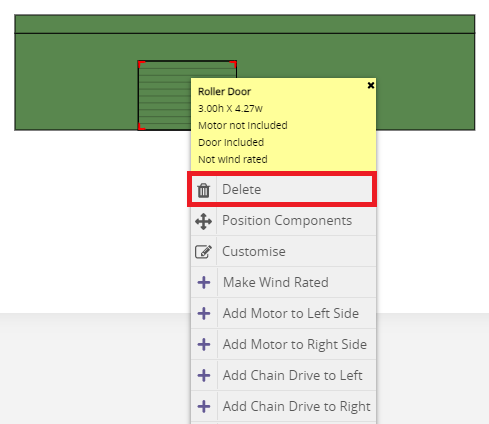
Deleting a roller door
Right-click on the roller door and select Delete.
Positioning and customising roller doors
Positioning a roller door
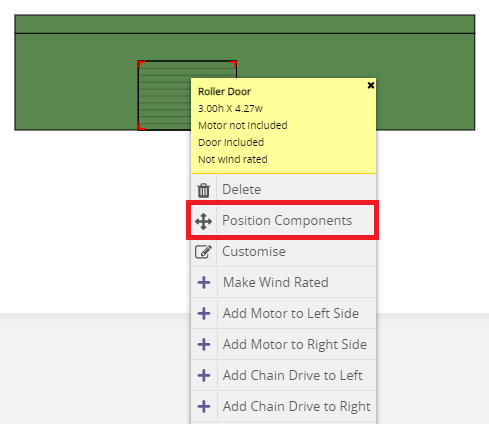
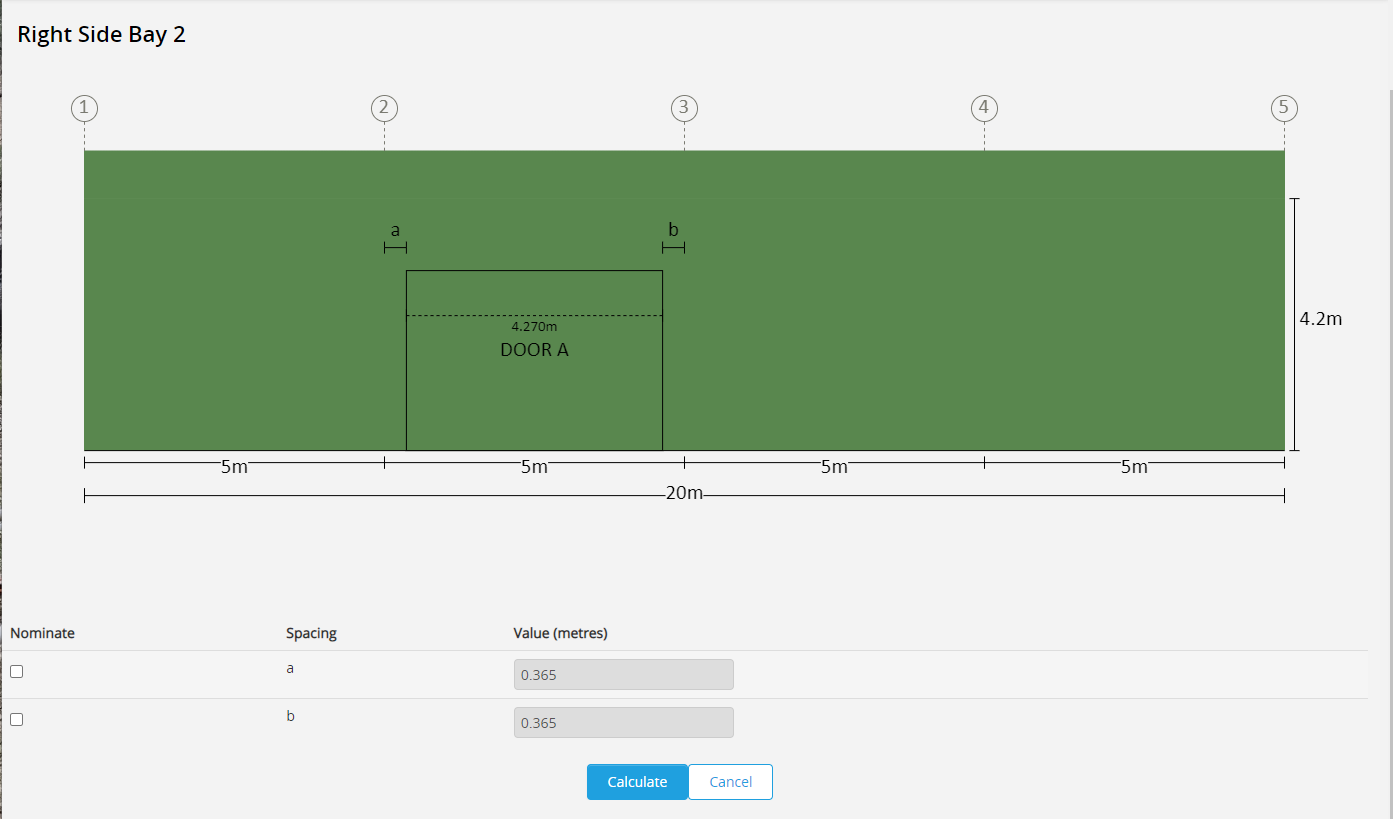
Right-click on the roller door and select Position Components.
SMS will open the Component Positioning view, allowing editable dimensions for repositioning.
Click Calculate to confirm changes before returning to the Estimation View.
Customising a roller door
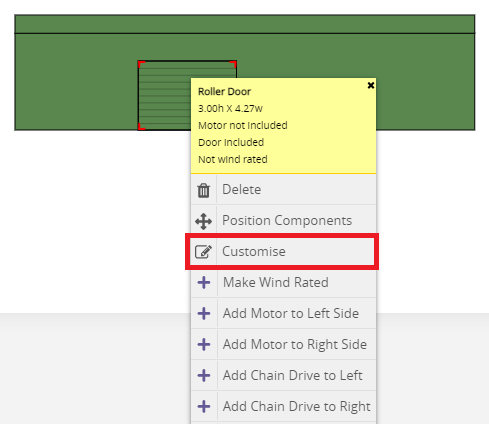
Right-click on the roller door and select Customise.
Use the dropdown menus (blue “...” buttons) or enter the height and width manually.
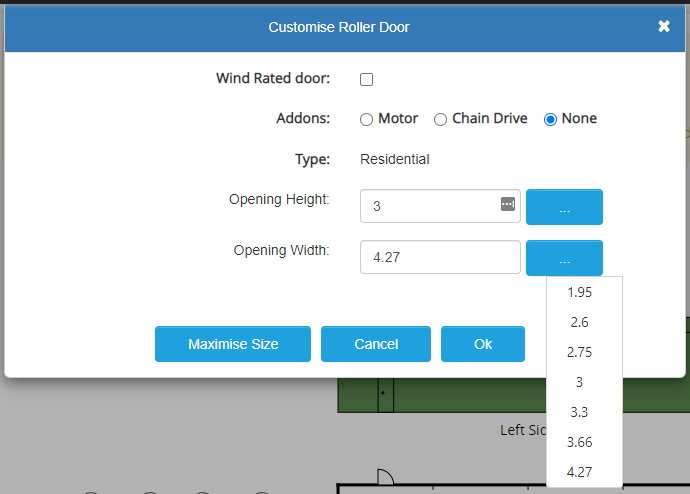
SMS will automatically suggest suitable door sizes for the space provided.
Common reasons a door may not fit include:
Door height or width exceeds available space.
The selected dimensions are outside the range for that door model.
Door jambs have increased in size due to height, requiring additional clearance.
Tip:
Add roller doors after confirming span, bay lengths, height, roof pitch, and knee brace options.
Changing these parameters afterwards may cause roller door errors.
If major changes are required:
Delete all roller doors.
Update the design.
Reinsert the roller doors.
Roller Door Accessories
Motors and chain drives can be added by right clicking on the roller door and selecting the desired option.
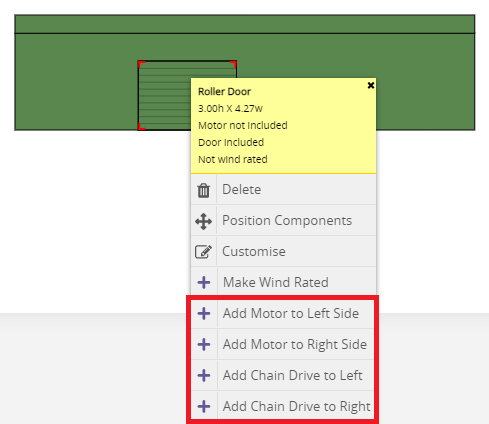
Roller Door Motors
Can be added to either left or right side of the roller door.
The chosen side is determined from inside the building view.
Roller Door Chain Drives
Chain Drives can be added to either the left or right side of the roller door by right clicking over the roller door.
Roller doors under 3.0m high do not have chain drives allowed for, they need to be added to roller doors via the right click add chain drive option.
Roller doors over 3.0m high up to 3.6 have a Direct Chain Drive Kit allowed for automatically and do not need to be added.
Chain drives are limited to doors up to 3.6 m high - All roller doors measuring 4.2m high and above are supplied with planetary gearing
NOTE: The left or right side selected is looking at the roller door from inside the building.
Making a Roller Door "Wind Rated"
The roller door option to "Make Wind Rated" can be found by right clicking over the roller door.
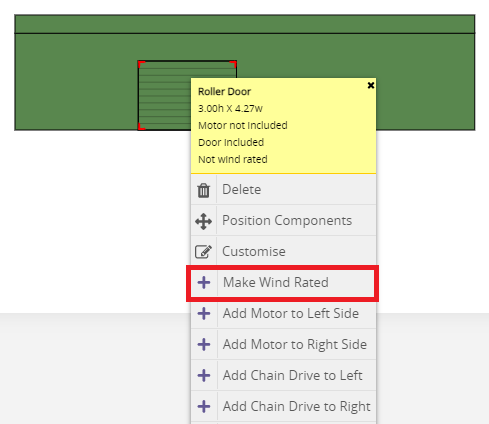
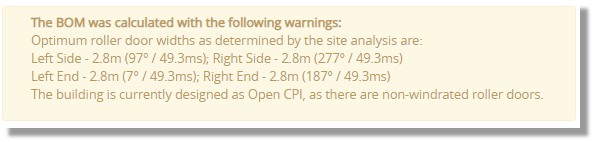
SMS will provide details of roller door dimensions that will satisfy wind rating requirements without the need for clips or wind locks (see below). If door widths are at or below the "Optimum roller door widths" then the roller doors will be classed as wind rated. Doors that are wider, will need to be made wind rated using that option in SMS and the required changes will be made to the door (clips - wind locks added).
Wind locks and cyclonic regions
In Wind Regions C and D, roller doors are automatically supplied with wind locks.
These locks consist of a moulded lug secured to the curtain that interlocks with the side-track profile, ensuring:
Resistance to high wind pressures.
Reduced air infiltration.
Prevention of door blow-in or damage during cyclonic events.
Tips, best practices & troubleshooting
Always confirm structural dimensions before adding roller doors.
For wind-prone regions, use wind-rated options to avoid compliance issues.
Ensure door motors and planetary gearing are not used together.
Check clearance height before confirming door size with the client.
Related resources
Personal Access Door (PA Doors)
Review & updates
Version history:
v1.0 – 19 April 2025
v2.0 – 6 October 2025
Article information
Category: Estimation View & Shed Design
Target audience: Estimators, SMS users, and design teams
Business owner:
Version: v2.0
Last reviewed: 6 October 2025